Building a token-driven design system and AI-assisted design-to-code workflow to improve adoption, implementation, and maintenance in a volunteer-driven nonprofit
building AI-friendly design systems and design-to-code workflow, coded system and Storybook.
My Role & Team
Me as design engineer, design manager, engineers, executives
Tools
Figma, Cursor, Storybook, Token Studio
Context
Greenstand is a nonprofit building digital tools that empower a global reforestation community
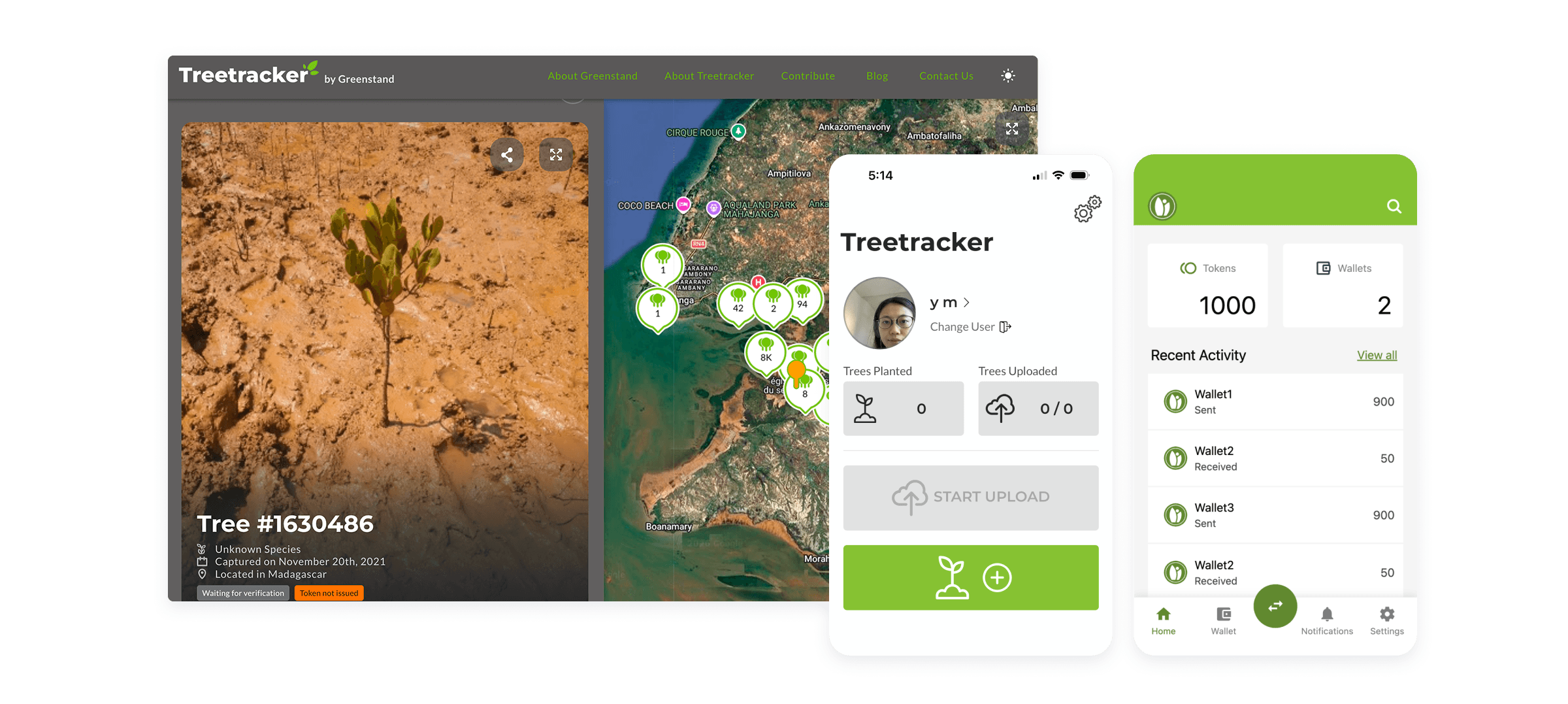
As a UX design volunteer at Greenstand, I contributed to the design of its app ecosystem, which is used in 56 countries and enables environmental organizations and donors to track their impact while providing income opportunities for people participating in reforestation efforts.
Problem
The existing design system was difficult to implement
Greenstand design team had previously worked on establishing a design system, but it lacked the foundation needed for consistent implementation and maintenance. As a result, engineers often relied on hardcoded values and custom solutions.
Architecture
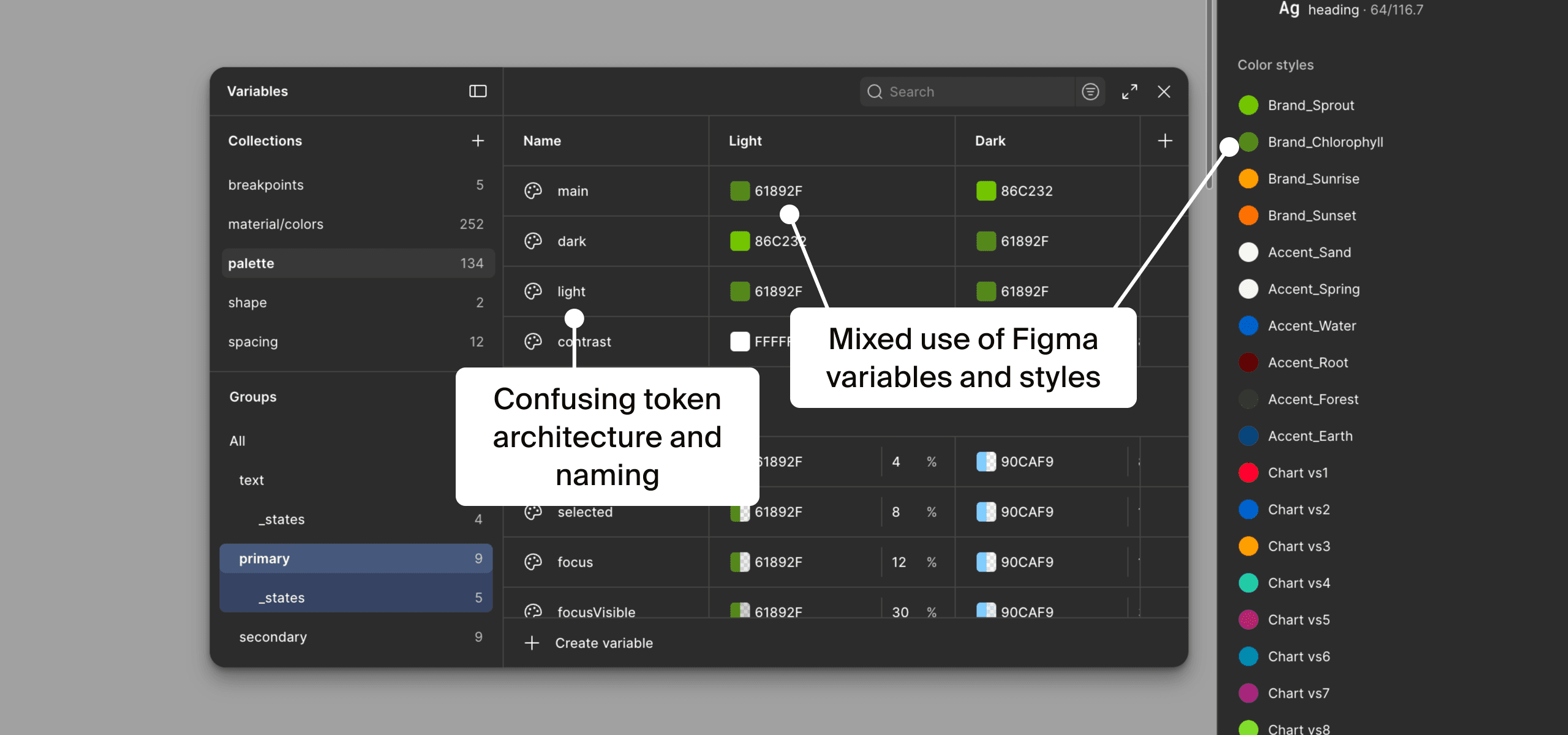
Poorly structured design tokens made consistent and scalable implementation difficult.
Support
Limited documentation and guidance made adoption challenging.
Quality
The system also had other issues, such as unnecessary complexity and accessibility.
Why this matters?
As a volunteer-led nonprofit with limited engineering resources and competing priorities, reducing design-to-code overhead was critical to ensure the design system usage and maintenance.
Solution
Well-structured design system & efficient handoff
To address these challenges, I rebuilt the design system to be more structured, accessible, and easier to use through a clearer token architecture. I also established a more efficient design-to-code workflow, implemented components in code, and introduced documentation to support adoption and maintenance.
What I did
Design System
Introduced a structured token system
Imporved foundations
Rebuilt components
Design to Code
Defined an AI-assisted design-to-code flow
Implemented tokens & components in React Native
Documentation
Introduced Storybook
Opportunity
Use AI agents as a design-to-code accelerator
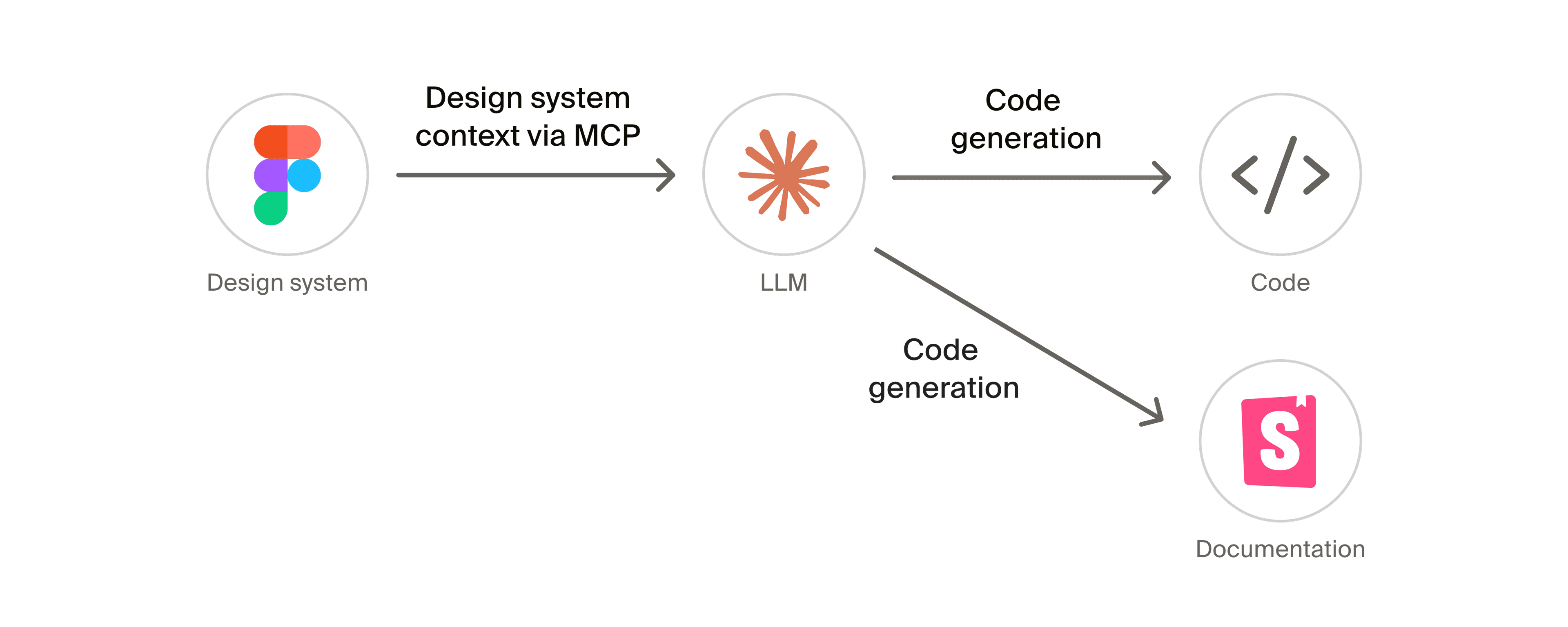
With recent advances in AI, I saw an opportunity to use AI to reduce the effort required to translate designs into code without relying heavily on engineering resources and to create design system documentation. Considering factors such as learning curve, cost, and ecosystem maturity, I identified a workflow centered around Figma MCP, AI, and Storybook as a practical approach to achieve this.
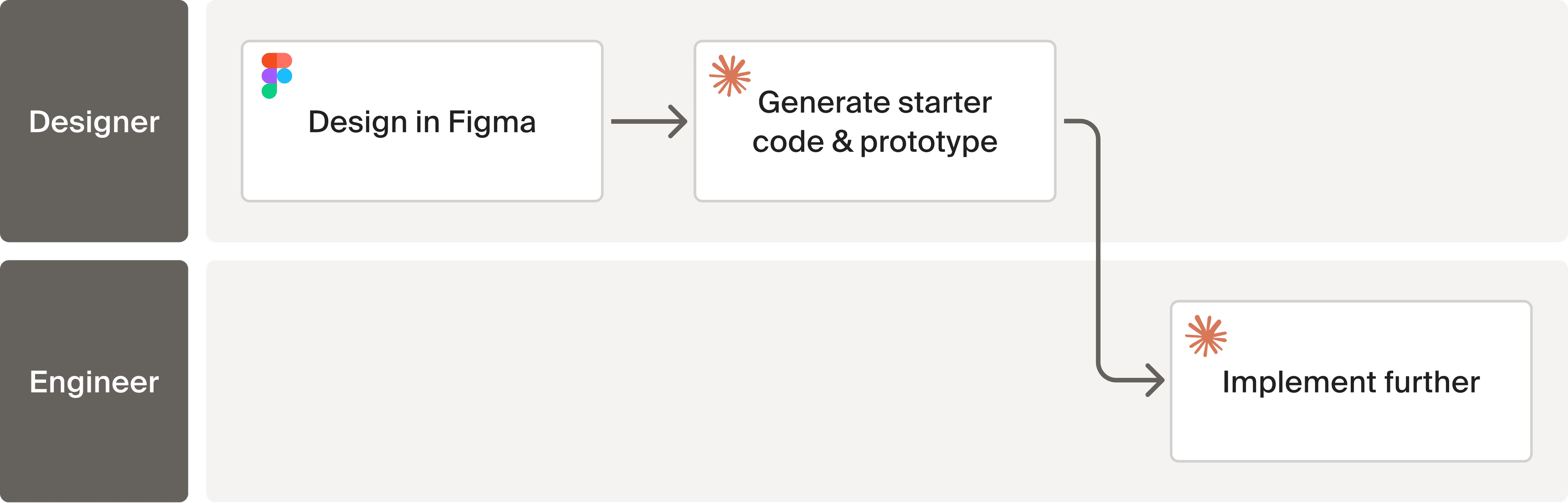
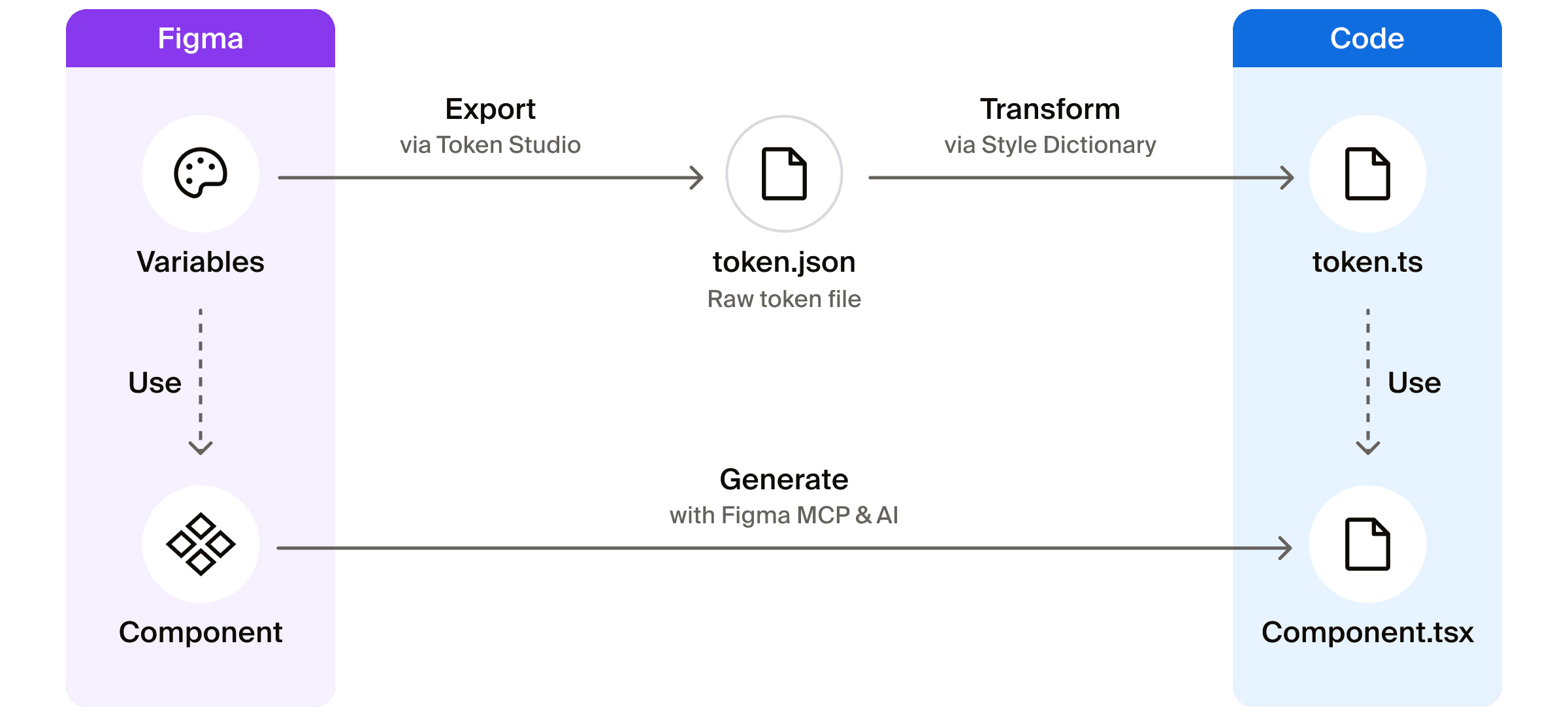
Ideal flow: With AI, designers can contribute directly to implementation, enabling a more seamless and consistent design-to-code process while reducing engineering effort.
Design Principle
Make the design system easy to use for both humans and AI
Design System
Established simple, scalable, and accessible design system foundations & components
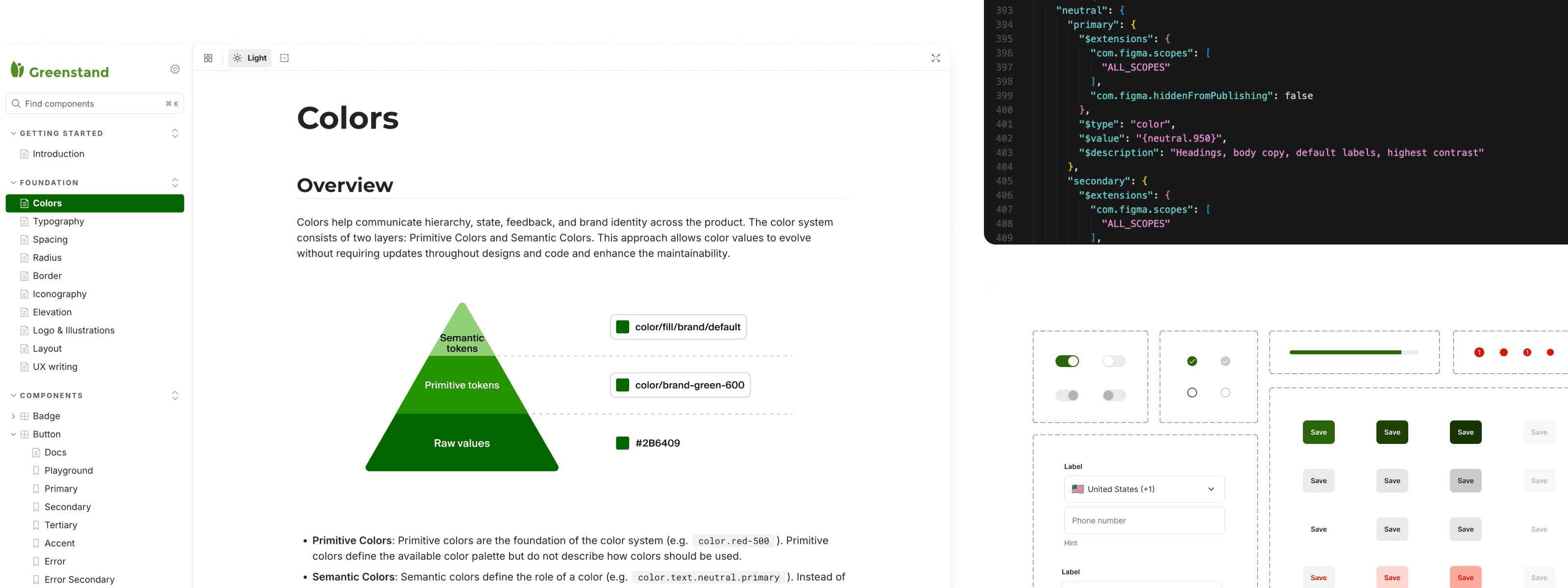
I started by restructuring the foundations of the design system. My focus was on making a system easier for both humans and AI to understand, maintain, and scale, while improving accessibility and simplicity.
2-Layer Token Structure
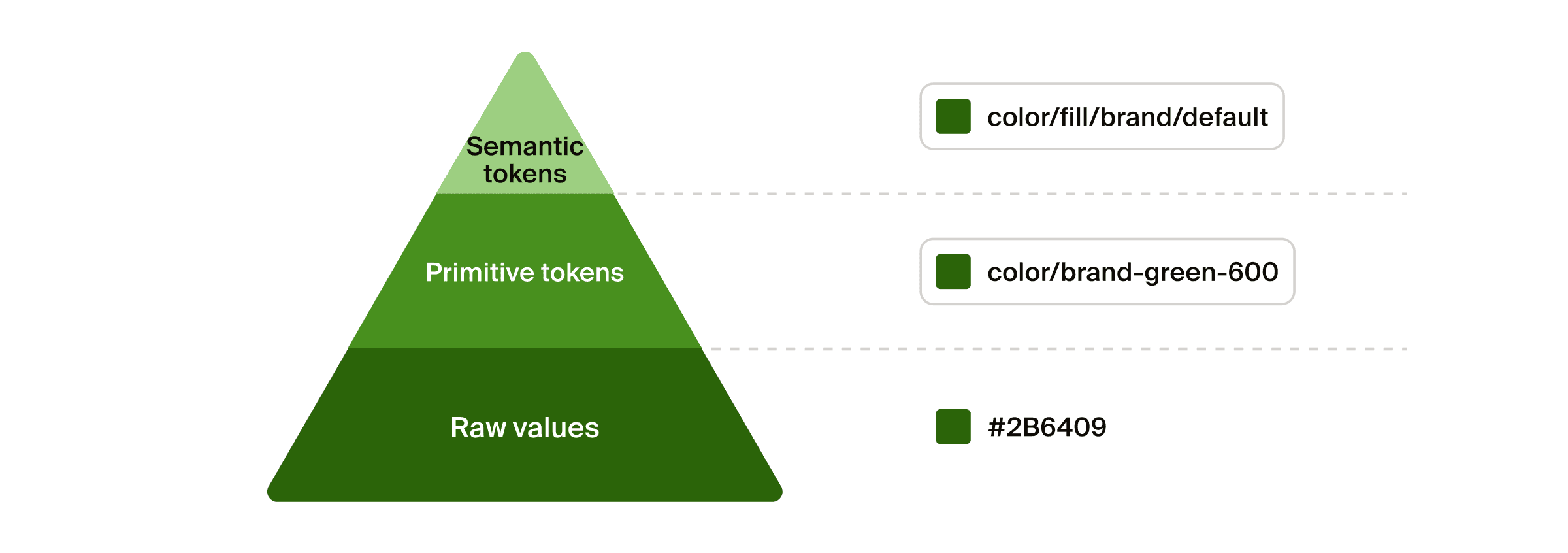
I created the scalable design tokens system made of primitive and semantic token layers.
During the process, I also considered introducing a component token layer. While component tokens can provide greater flexibility, they also increase the number of tokens to maintain. Given the current size of the product and team, I chose not to introduce it to reduce complexity.
Component Tokens?
Advantages
Tradeoffs
Yes
Easier large scale updates, greater flexibility
More abstraction and maintenance overhead
No
Simpler to understand and maintain
Less flexibility for component specific customization
Accessibility Improvements
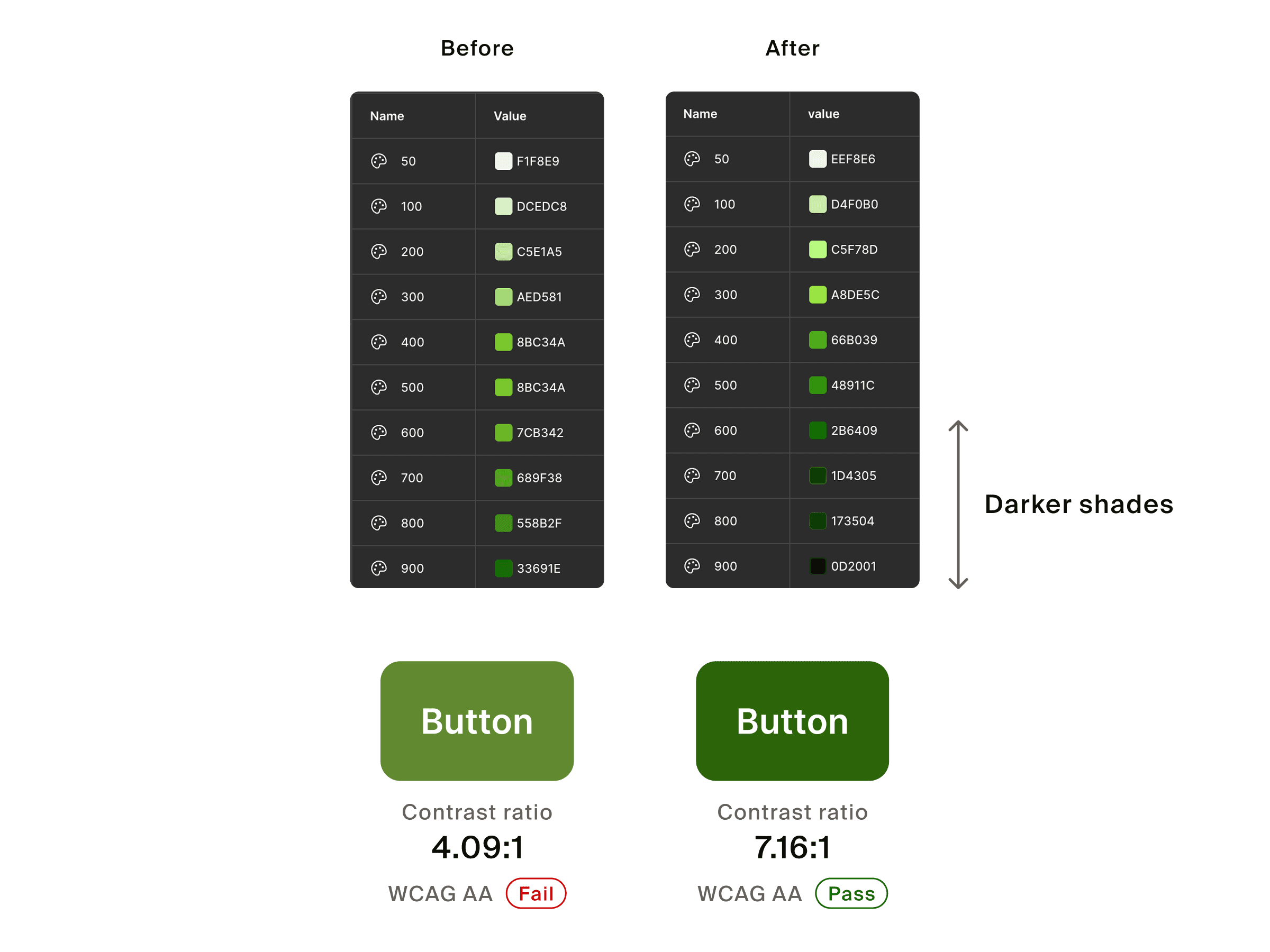
Several color combinations, including the primary button, failed WCAG AA contrast standards because the palette lacked sufficiently dark shades. Rather than adjusting individual components, I improved the foundation by introducing darker shades, making it easier to create accessible color combinations.
System Simplification
The existing system was based on a Material Design template, but it was overly complex for our needs and included many unused values. I simplified the system by removing redundant values and creating a more focused and intentional set of tokens and styles.
Before
After
Hues
18
6
67%
Primitive colors
252
95
62%
Typography styles
36
14
61%
AI Readable Components
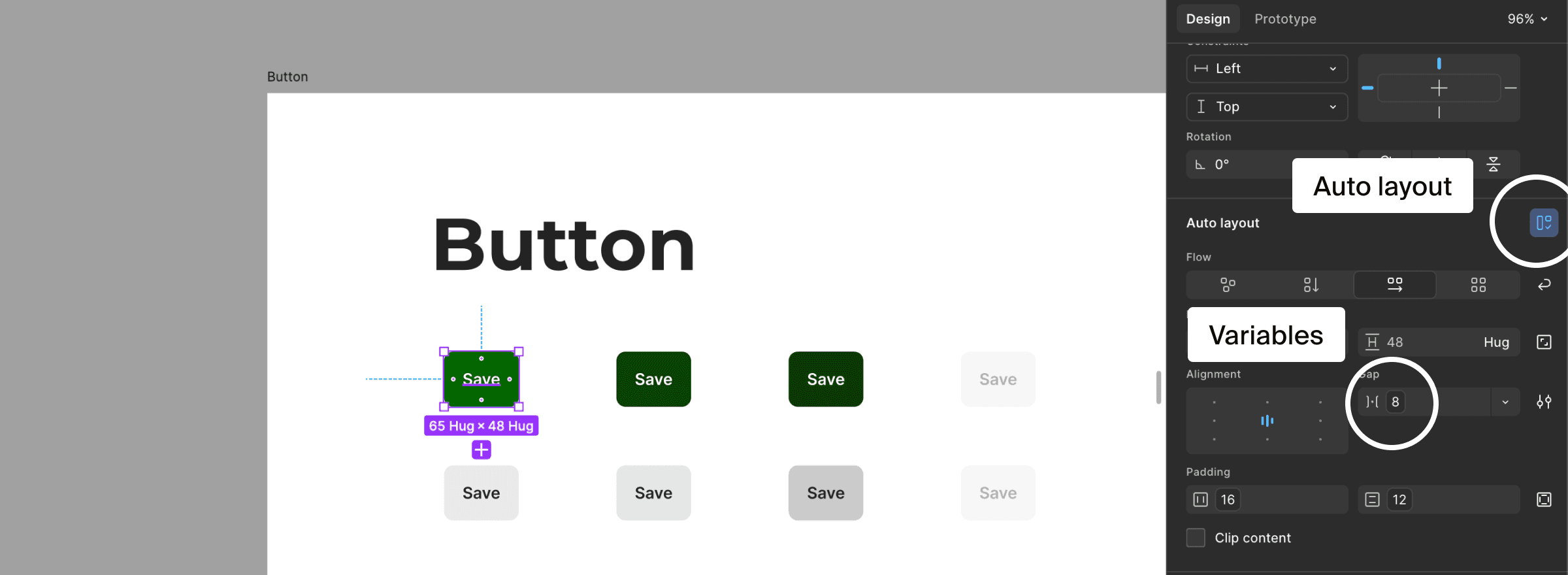
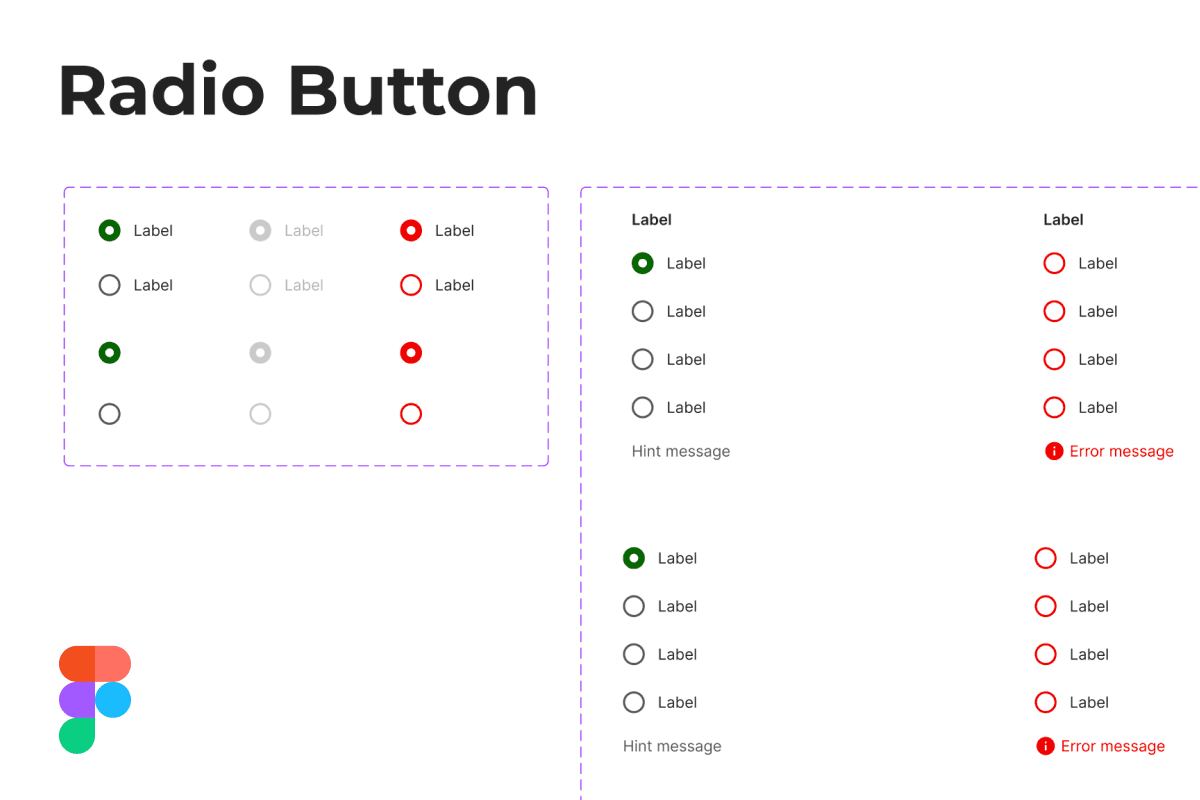
To support AI assisted implementation, I rebuilt components using Figma variables instead of directly assigned values and structured them with Auto Layout.
Design to Code
Established an efficient workflow for synchronizing design systems and code
After establishing the design system in Figma as the source of truth, I explored a design-to-code workflow that reduced implementation effort and kept code aligned as the system evolved, while remaining accessible to a nonprofit team with limited tooling.
Token Synchronization
For design token synchronization, I prioritized DTCG compatible workflows because the industry standard provides better compatibility across tools and greater flexibility as the ecosystem evolves. After evaluating options, I selected Tokens Studio and Style Dictionary as the best balance of cost and maintainability.
Option
Advantages
Tradeoffs
Tokens Studio + Style Dictionary
DTCG support, no paid feature required
Additional setup, a few manual steps
Figma REST API
Direct access to design data, minimal manual effort
Requires paid Enterprise plan (we have no access).
While not fully automated, this workflow takes just about 1 minute and prevents manual errors such as typos.
Component Implementation
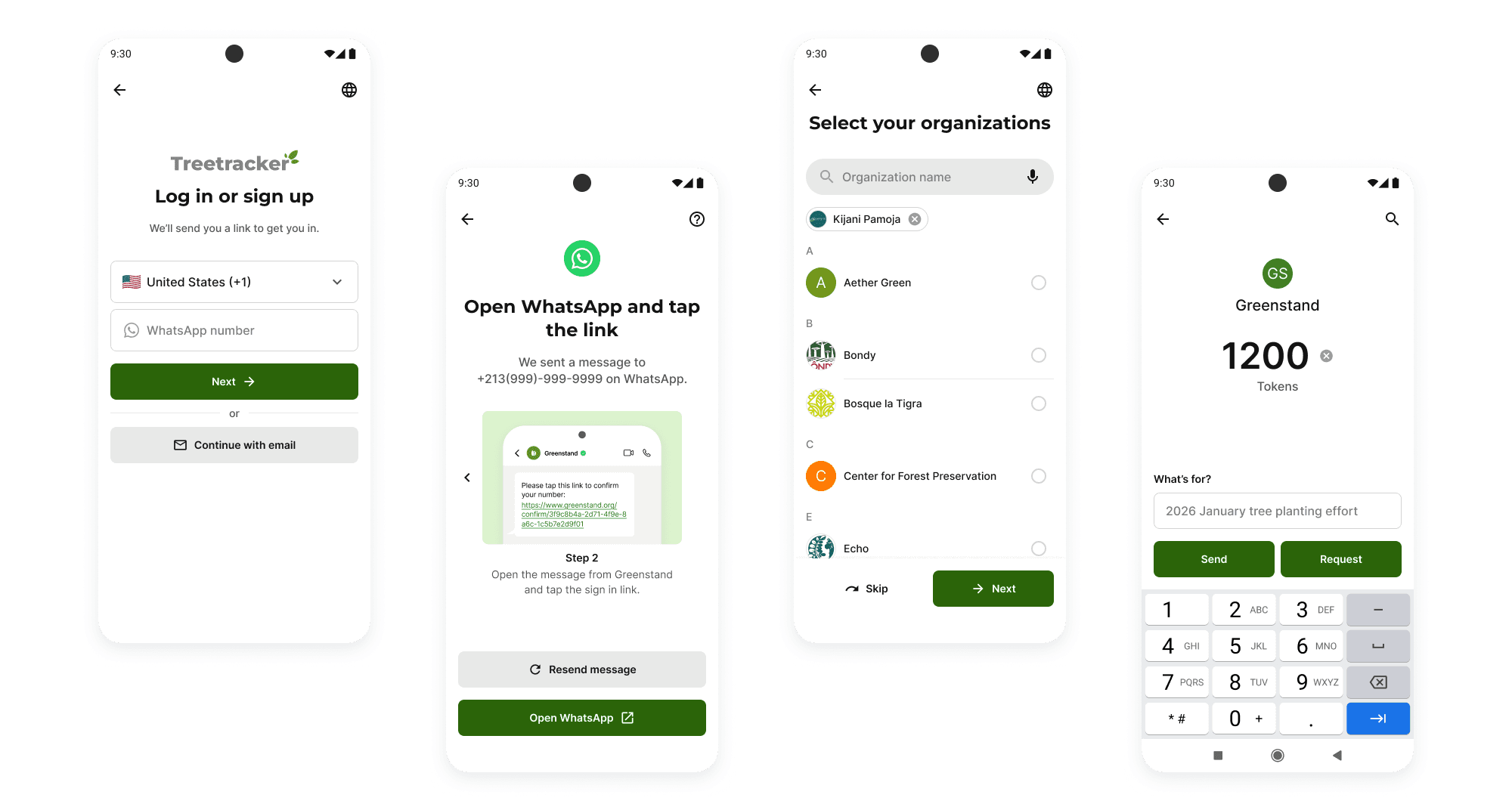
I implemented several key components in React Native using Figma MCP and Cursor. Through this process, I added details not fully represented in Figma, such as animations and component behaviors. I also refined component structure, naming conventions, and properties in Figma based on common implementation practices. These refinements helped align design and implementation more closely, reducing the gap between design and code.
Implementation adds interaction details that are not fully represented in the design file.
Documentation
Supported continuity in a volunteer-driven organization through documentation
Documentation was especially important at Greenstand, where contributors frequently join and leave the project. To support onboarding and long-term maintenance, I introduced Storybook documentation covering both design and implementation guidance, while balancing completeness with conciseness.
Why Storybook?
Easy to Access
Not all contributors, especially engineers, are familiar with Figma. Web-based documentation is easier to use.
Easy to Maintain with AI
Because Storybook is written in code and MDX, AI tools can help maintain documentation more efficiently.
Accessibility Feature
Storybook's built-in accessibility testing tools help identify potential issues.
Built a foundation for future design system evolution
This first iteration established the foundation for Greenstand's future design system and design-to-code workflow. The project is ongoing, with the next phase focused on using this version to align with stakeholders on implementation strategy, technical constraints, and the future evolution of the design system. Feedback from these discussions will be used to refine the system and prepare it for adoption.
What I learned
Reconnecting with my engineering background
As a former engineer who worked before the rise of AI-assisted development, I found it fascinating to see how AI can connect design and code more seamlessly and rapidly than ever before. This project strengthened my understanding of design systems from both the design and engineering perspectives.
Thinking beyond Figma
Considering how the design is implemented helped me refine component structure, variants, and so on to make components easier to use and maintain.
Learning from the community
Since AI workflows are still evolving, practical guidance is limited. I found it valuable to exchange ideas with other designers through meetups and conversations to learn about emerging patterns.